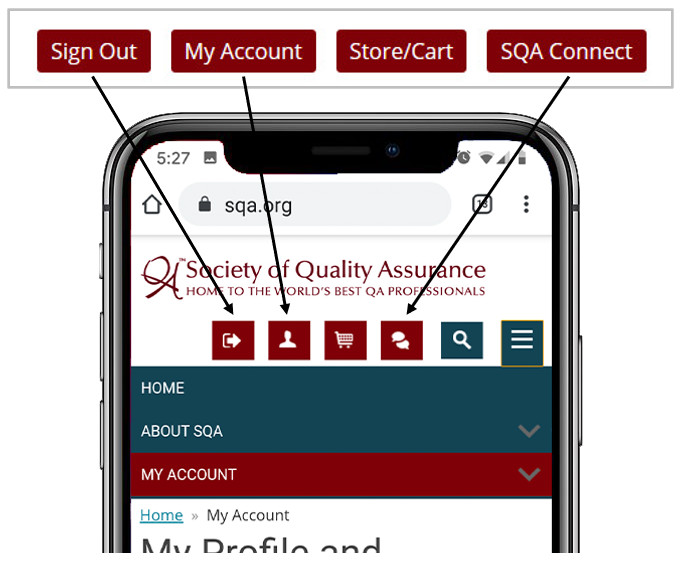
 Guide to Account Buttons
When the SQA website is viewed on a mobile device, the account buttons change from text into icons. Below is a quick guide to the mobile buttons, the equivalent text buttons that appear on a computer, and the situation in which each appears.
If you need assistance with accessing your account, please contact [email protected].